01
Give today a little direction.
Gather your tasks, choose an intention and see what needs your attention. A clear place to start, without the noise.
Tasks · Priorities · Gentle reminders Mizan
Find balance, one day at a time
A free, quiet space for your tasks, focus and everyday life.
Plan what matters. Make room for yourself.
No card needed Start as a guest
A look inside
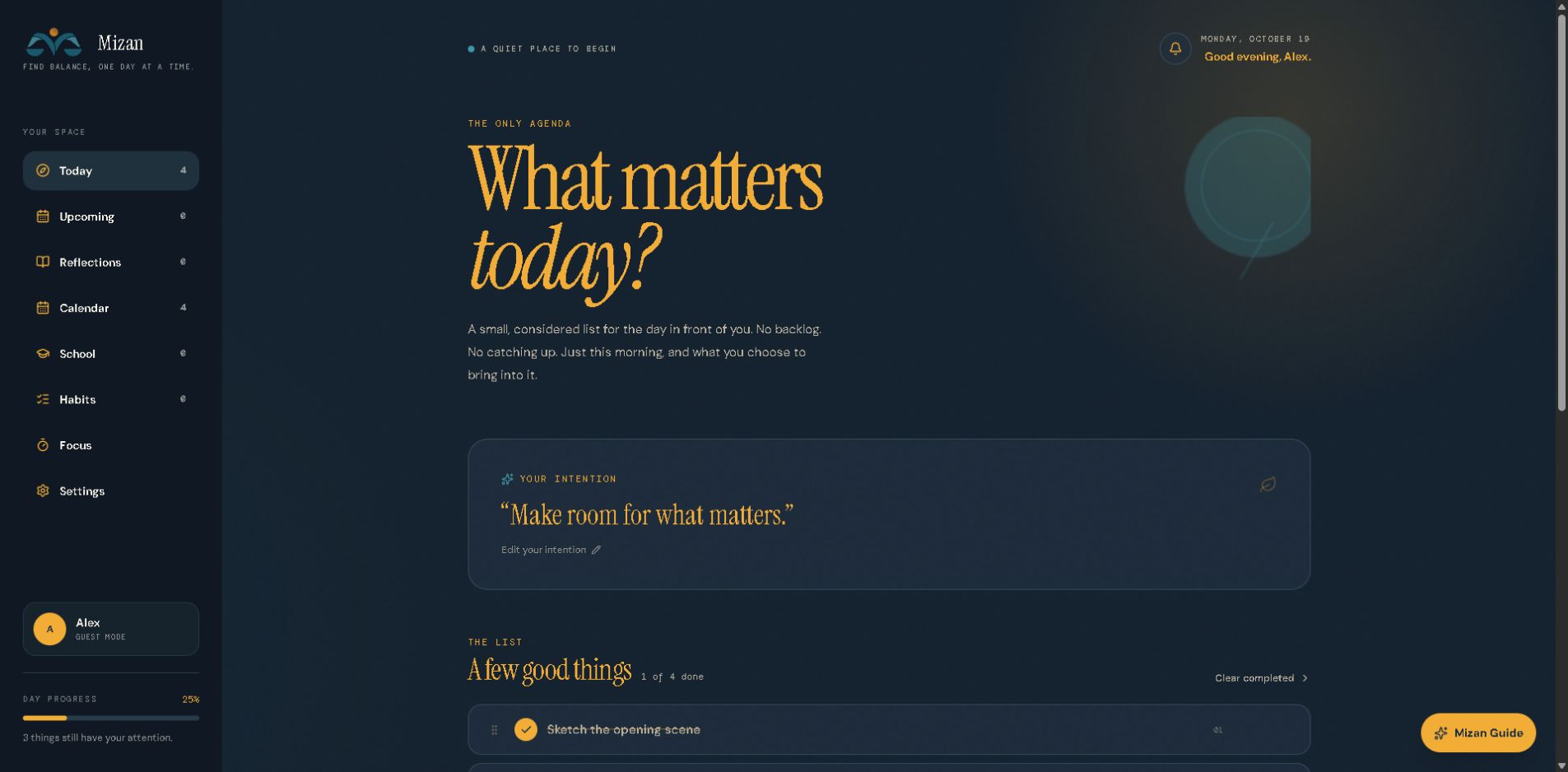
A small, considered list. Just the day in front of you.
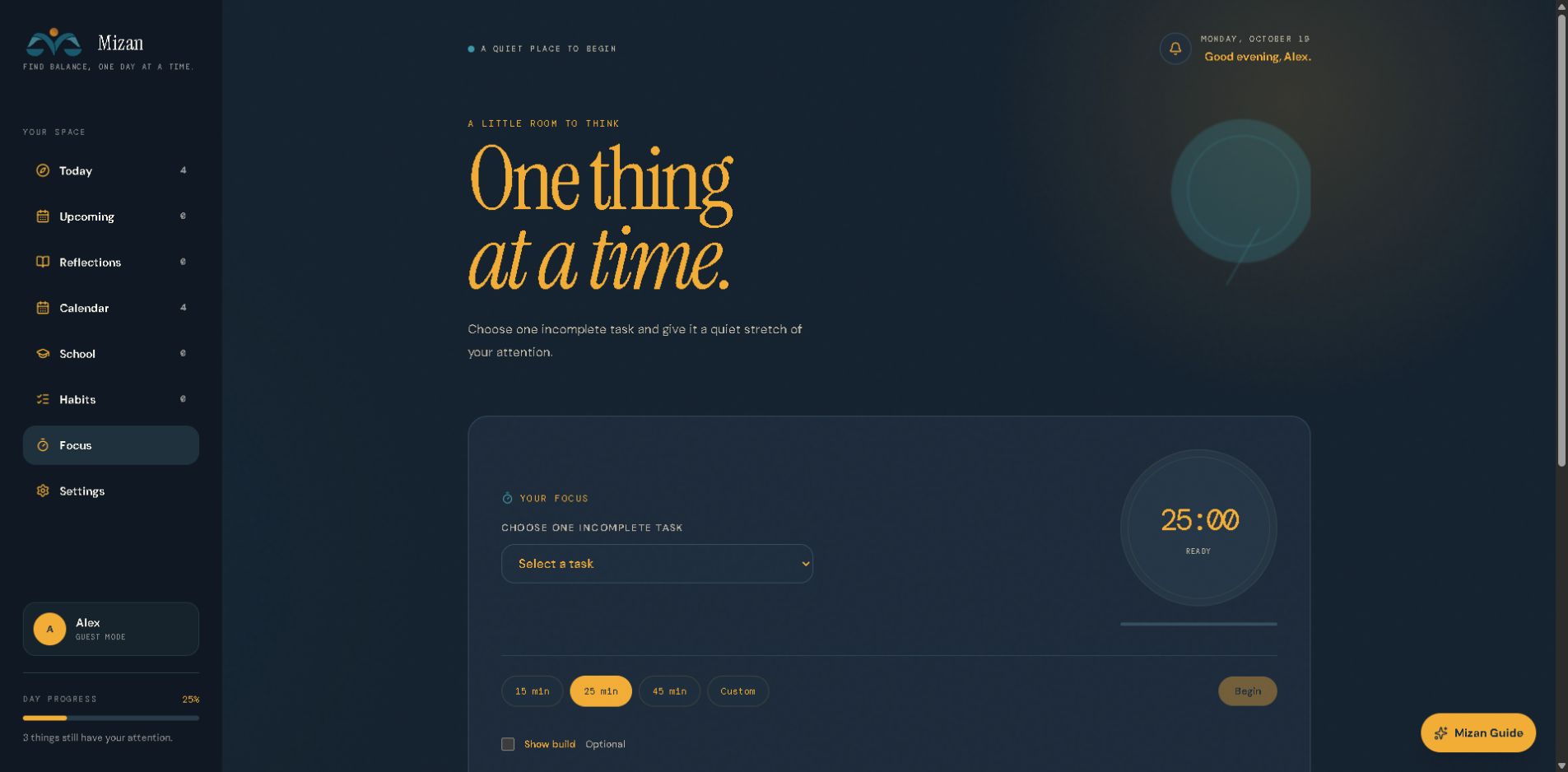
One task. A quiet stretch of your attention.
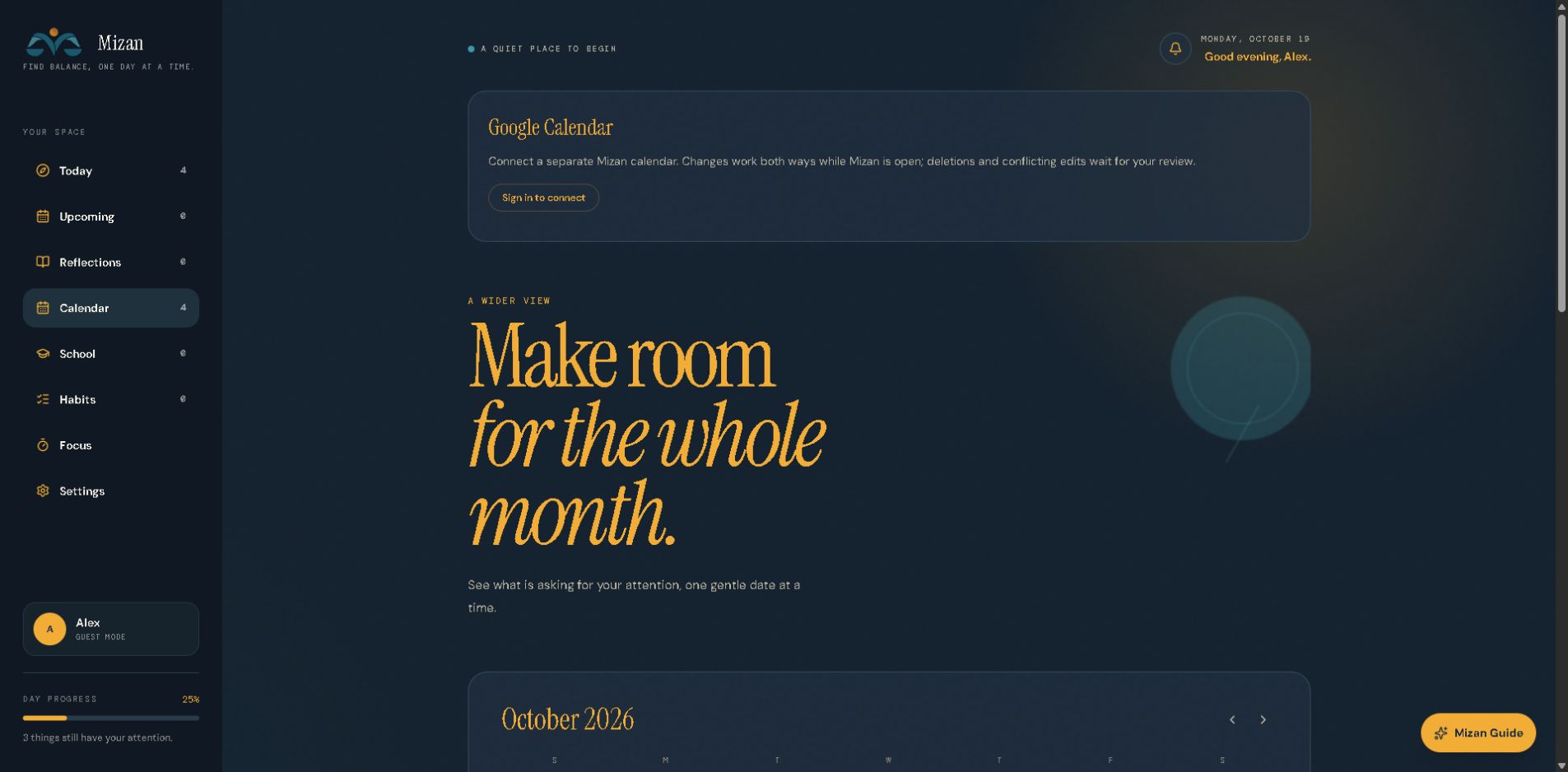
A little perspective on the days ahead.
Actual Mizan screens Sample guest data
Made for your day
Some days are full. Some days are slow.
Mizan gives both a
place to begin.
Gather your tasks, choose an intention and see what needs your attention. A clear place to start, without the noise.
Tasks · Priorities · Gentle remindersChoose a task and settle into a focus session. For a little encouragement, switch on Builds and let a small boat take shape as you focus.
Focus timer · Optional Mizan BuildsBring classes, assignments and study plans together. Break work into smaller steps, make room for exams and keep a calculator close by.
An optional space for studentsBeyond the to-do list
Build habits one day at a time. A missed day is only a day.
HabitsA thought, a small win, a note for tonight. A sentence is enough.
ReflectionsView tasks and school plans together. Connect Google Calendar when signed in.
CalendarA free place to begin
The core Mizan planner is free. No card, no pressure.
Just a
little more room for what matters.
Start as a guest. Your planner stays on this device, so you can get a feel for Mizan first.
Use a free account to keep your planner synced across devices and connect your Google Calendar.
A simple start. Space to make it yours.
A few things to know
Yes. The core planner — tasks, habits, focus, reflections, calendar and student tools — is free. You don’t need a card to get started. Mizan Guide has its own usage limits.
No. Guest mode keeps your planner in this browser on this device. An account lets you sync across devices and connect Google Calendar.
Not at all. Mizan is for everyday planning. School is an optional section you can enable if classes, assignments and exams are part of your day.
Mizan uses a separate Mizan calendar. Changes sync both ways while Mizan is open, and deletions or conflicting edits wait for your review.
Guest data stays in this browser. Signed-in planners use cloud storage to sync between devices. You can read more about storage, connected services and your choices in the Privacy Policy (opens in a new tab).
Small steps still count.
One day. A few good things. A little more balance.